EFDC+ Explorer
A Pre- & Post-Processor for the Environmental Fluid Dynamics Code
Boundary Conditions Setup
EFDC+ Explorer provides powerful tools for defining and editing model boundary conditions (BCs) — including flow, pressure/tidal boundaries, hydraulic structures, withdrawal/return flows, and jet plumes. Extensive harmonic tide generation features support open boundary time series creation, giving you the flexibility to build, modify, and evaluate BCs with speed and confidence.
Build Forcing Series
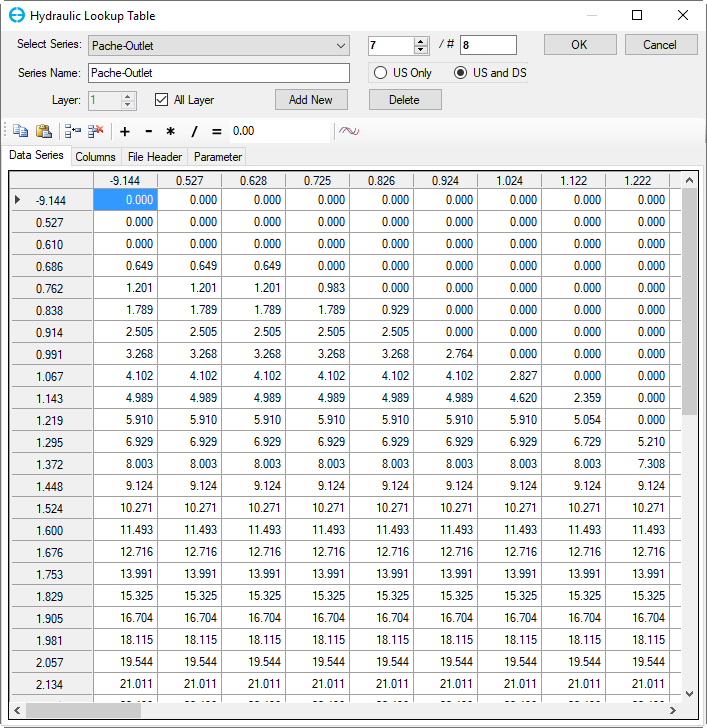
Time series editor for building forcing series.
Build Forcing Series
EE includes a robust, multi-featured time series editor for constructing the input files required to drive boundary conditions. It supports a wide range of import formats and handles complex datasets, including those with multiple sediment, toxics, or water quality constituent classes.
As illustrated in the figure, the editor can be used to develop forcing for hydraulic structures — for example, using a head-vs.-flow look-up table to define stage-discharge relationships.
Link Forcing Series to the Model Grid
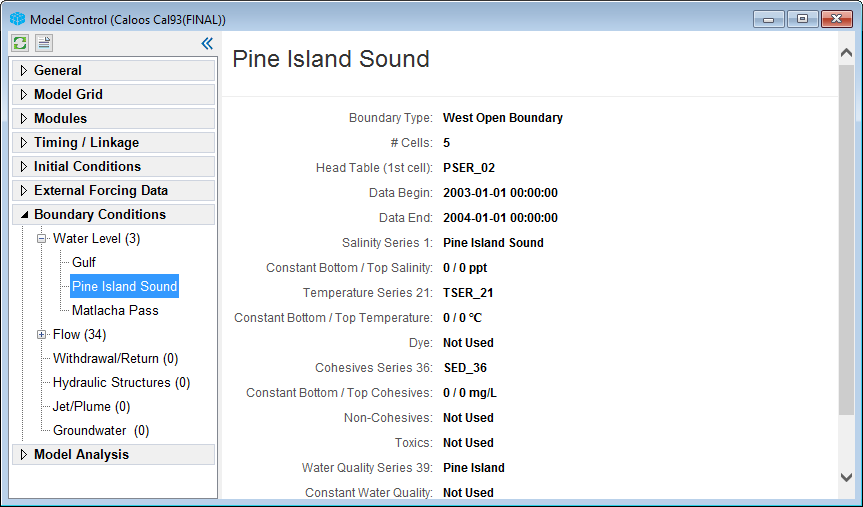
Boundary conditions defined for a model in EE.
Link Forcing Series to the Model Grid
Using EE’s 2D map view, you can visualize, edit, and create boundary conditions directly on the model grid and link them to their corresponding forcing series. Each BC type has a dedicated GUI editor with customized tools designed to make setup fast and intuitive.
A global BC list displays all boundary conditions alongside their linked forcing series in one place, making it straightforward to identify configuration issues and carry out quality control checks.